SignalLock
Ongoing Older / Hobby ProjectsSignalLock is a privacy-focused menu bar app that automatically locks your computer when you walk away from it — using a Bluetooth device you carry with you.
- Role
- Owner
- Duration
- May 2026 — Ongoing
Technologies
Skills
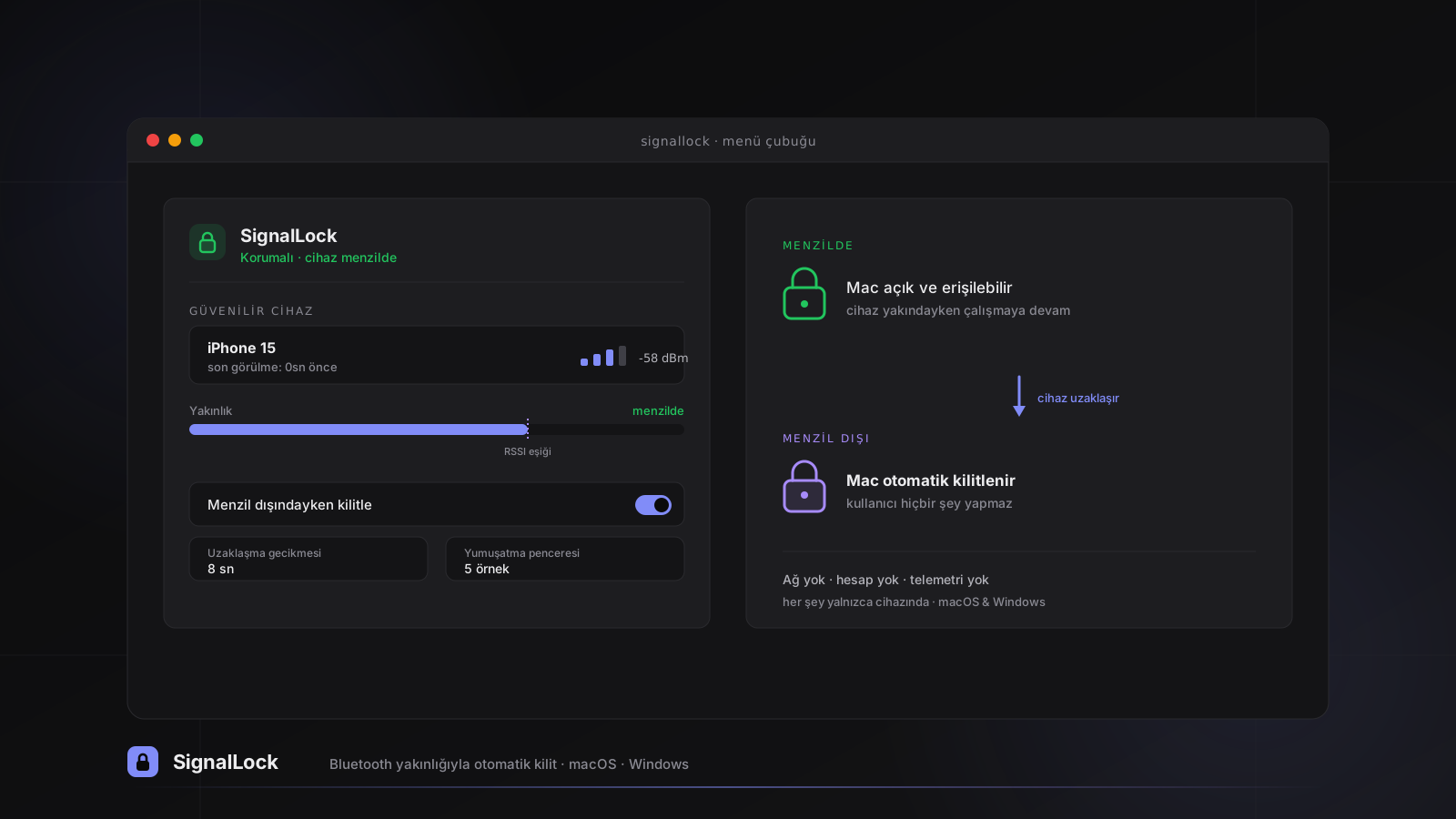
SignalLock is a desktop security tool I built for users who walk away from their desk and forget to lock their computer. In shared environments such as coworking spaces, cafés, libraries, or open offices, an unlocked Mac is a serious privacy risk. SignalLock solves this problem by designating a Bluetooth device the user already carries (an iPhone, Apple Watch, AirPods, or a BLE tag) as a trusted device. When that device leaves range, the computer locks itself; the user has to do nothing.
At the technical heart of the app is a proximity algorithm that, instead of simple “device present/absent” logic, combines a smoothed RSSI signal strength with a last-seen timestamp. This approach prevents the momentary fluctuations inherent to Bluetooth signals from causing false locks. Parameters such as the RSSI threshold, the departure delay, and the smoothing window can be adjusted by the user; the defaults are deliberately chosen to be conservative in order to minimize false locks. The project includes two separate native versions that share the same algorithm and configuration model: a menu bar app written in Swift/SwiftUI for macOS and a system tray app developed in .NET 8 for Windows.
The most important principle that sets SignalLock apart from similar solutions is privacy. The app makes no network requests; it includes no backend server, cloud sync, account system, telemetry, or analytics. It does not use location services, and all settings are stored only on the user’s own machine. As a result, unlike cloud-based “find my desk” solutions, the user gets a similar convenience without ever sending any of their data off the device. A simple landing page with TR/EN language support rounds out the project.